



Headless WordPress website design agency: when your site needs to outgrow WordPress
A headless WordPress website design agency handles both the visual redesign and the technical migration that separates your WordPress CMS from the front-end delivery layer. Marketing directors and business owners hire one when slow load times, rigid themes, or a planned replatform make traditional WordPress no longer viable as a growth platform. The right partner owns the full path: discovery, Figma design, API architecture, and a launch where development and marketing work as one system rather than a handoff. This guide covers fit, process, cost, and how to tell a growth-oriented partner from a pure migration vendor.
What "headless WordPress" actually means for website design
Traditional WordPress ties content management and front-end rendering into one PHP layer. The template that stores your post also decides how the browser renders it. Going headless breaks that coupling: WordPress continues managing all content while a separate front-end framework, most commonly Next.js, handles everything visitors see.
That separation is where the design angle lives. A theme-based WordPress site is structurally constrained by its template grid. A headless build starts in Figma, where designers compose any layout, then moves to code that matches it exactly. Reviewing headless CMS vs traditional CMS architectures shows how dramatically the design ceiling shifts once presentation decouples from the backend.
Headless advantages with specific outcomes:
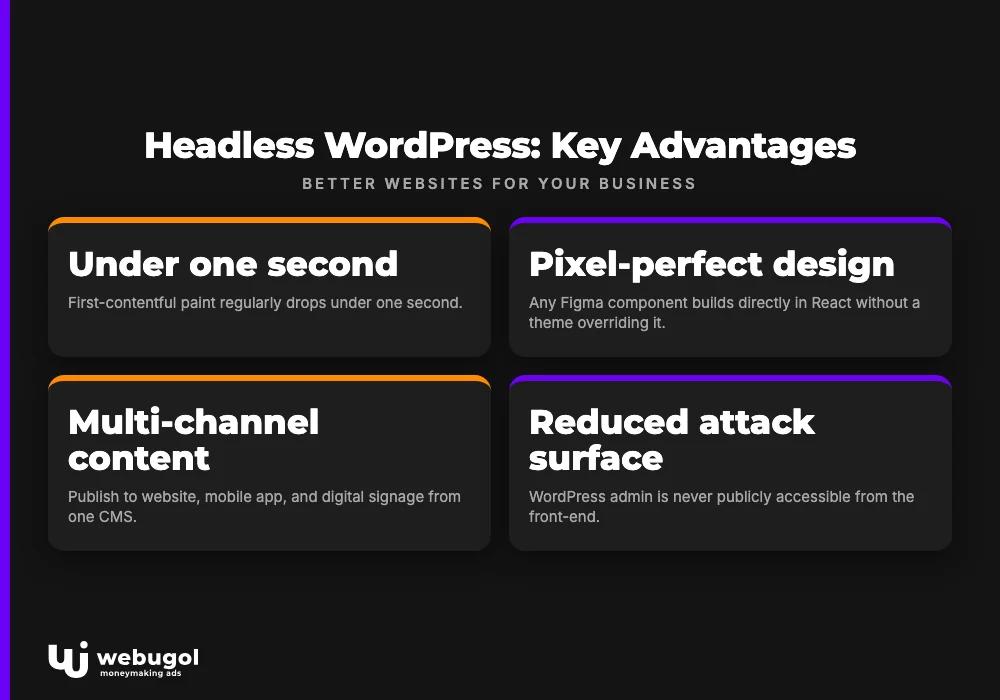
- Edge delivery: pages render at CDN edge nodes rather than a single origin server, so first-contentful paint regularly drops under one second.
- Pixel-perfect design freedom: any Figma component builds directly in React without a theme overriding it; brand consistency is structural, not patched onto a template.
- Multi-channel content: the same WordPress CMS publishes to your website, mobile app, and digital signage through one API without duplicate data entry.
- Reduced attack surface: the WordPress admin is never publicly accessible from the front-end, which removes a major class of injection vulnerabilities.
- Predictable performance under load: a Next.js build cached at the CDN edge handles traffic spikes without hitting a PHP server.
- Independent deployment cadence: your content team updates copy in the familiar WordPress dashboard while developers push front-end changes on separate cycles with no coupling between the two.
Traditional WordPress vs. headless: side-by-side comparison
| Dimension | Traditional WordPress | Headless WordPress |
|---|---|---|
| Page speed | PHP renders on every request; full-page load slows under traffic | Served from CDN edge; first-contentful paint under one second is achievable |
| Design flexibility | Constrained by theme templates and page builders | Full Figma-to-code freedom; pixel-perfect custom components |
| Content editing | WordPress admin | WordPress admin, unchanged for editors |
| Security surface | WordPress core, plugins, and database all publicly reachable | WP admin isolated; front-end has no direct database exposure |
| Maintenance cost | Plugin updates, theme conflicts, and security patches compound | Smaller plugin surface; front-end and CMS versions updated independently |
When does a business actually need headless WordPress?
A business needs headless WordPress when its current site is measurably cutting conversions, design requirements exceed what any theme can deliver, or the site must feed multiple platforms from one content source. That is when it makes sense to bring in a headless WordPress website design agency rather than continue patching a theme that has hit its ceiling.
Both sides of the decision matter here. Good agencies tell you when migration is not justified.
Signs your WordPress site needs to go headless:
- Your PageSpeed Insights score is in the red and plugin-based caching has reached its limit.
- Bounce rate has trended upward alongside slower load times, with analytics to confirm the correlation.
- A redesign requires layouts, animations, or design components that break inside every theme you evaluate.
- The site must push content to a mobile app, a digital screen, or a third-party platform without manual duplication.
- You are planning a replatform in the next twelve months and want to avoid a second full migration cycle.
When to stay on traditional WordPress:
- The site is a small brochure with no active traffic or lead-generation goals.
- Your team has no developer resources to maintain a custom Next.js front-end after launch.
- Budget is under $5,000 and site speed is not a measured business problem today.
Improving headless CMS SEO is one of the clearest arguments for migration. Google's Core Web Vitals scoring rewards edge-cached, pre-rendered pages, and better scores translate directly into organic ranking improvements that compound over time.

How we design and build headless WordPress sites
Most agencies in this space describe "development services" and leave the design process off the page entirely. That is the gap the top search results share. Design process matters as much as technical execution: a site that looks like a theme reboot will not perform like a custom-built growth asset.
The build process starts before a line of code is written. Discovery maps your current content architecture, conversion goals, and brand standards. Figma wireframes come next, followed by high-fidelity mockups that the front-end team builds pixel-to-pixel. No gap between the design file and what ships.
That foundation is what allows the site to function as a marketing asset from day one. As a headless WordPress agency, Webugol delivers design through deployment as one integrated engagement, with performance instrumented before launch so your team inherits a system tuned for growth rather than an open-ended project to hand off to marketing.
5-step build process:
- Discovery and content audit: map post types, ACF fields, integrations, and conversion goals before any architecture decisions are made.
- Figma design: wireframes through high-fidelity mockups, reviewed and approved before development begins.
- API layer: WPGraphQL exposes WordPress content to Next.js; custom resolvers handle complex post types and data relationships.
- Next.js front-end build: components built to spec from the Figma file; TypeScript enforces type safety across the codebase.
- QA and launch: cross-device testing, Core Web Vitals benchmarking, and a Vercel deployment with Cloudflare CDN in front.
Can content editors still use WordPress after going headless?
Yes. Editors continue publishing, editing, and scheduling in the same WordPress admin dashboard they use today. The front-end change is entirely invisible to them.
Custom Fields (ACF), Gutenberg blocks configured for your post types, and all media library workflows remain unchanged. The only difference is that a visitor's browser pulls content from Next.js rather than directly from WordPress. Marketing directors concerned about losing CMS control can test the editing experience in a staging environment before cutover, with no surprises at launch.
Our headless tech stack (Next.js · WPGraphQL · Vercel)
- Next.js: React framework with server-side rendering, static generation, and incremental static regeneration; handles routing and image optimization.
- WPGraphQL: exposes WordPress data as a typed GraphQL API; supports posts, custom post types, ACF fields, and menus.
- Vercel: deployment platform with global edge network; every Git branch gets an automatic preview deployment.
- Tailwind CSS: utility-first CSS framework that enforces design token consistency and accelerates front-end development.
- TypeScript: static typing across the front-end codebase catches integration errors before they reach production.
- Cloudflare CDN: global content delivery and DDoS protection in front of Vercel, adding a caching and security layer at the network edge.
If your site's slow load times are costing bookings, form submissions, or product purchases, this architecture directly addresses the root cause. Book a 30-minute discovery call and we will walk through your current PageSpeed score and map what a headless rebuild changes in your specific situation.

Headless redesign in action: before & after results
Performance claims without evidence are common in this market. The current top-ranking agency for headless WordPress writes "Supercharged Core Web Vitals" with no scores attached. Numbers tell the real story.
For Valhalla Vitality and Ways2Well, both healthcare brands originally built on traditional WordPress, the headless rebuild using Next.js, WPGraphQL, and Vercel produced PageSpeed scores above 90 on mobile. The design transformation matched the technical results: both sites moved from theme-constrained layouts to fully custom Figma-sourced components that reflect each brand rather than the theme vendor.
The metric that matters most to a marketing director is not the PageSpeed score. It is what a faster, design-accurate site does to cost per booked appointment or per submitted lead. When the conversion rate between ad click and form submission improves, the return on the migration compounds across every channel that drives traffic to the site.

What a headless WordPress project costs
Every headless WordPress website design agency prices projects differently, but the $5,000 to $15,000 range reflects what SMBs typically encounter for a full migration with custom design. That range is narrow enough to plan around and wide enough to reflect real project variation.
Four factors move the number significantly:
- Custom design system: starting from an existing brand kit with approved typography and color tokens costs less than building a full component library from scratch.
- Number of post types and page templates: five content types with eight templates require less architecture work than fifteen content types with complex filtering and content relationships.
- Third-party integrations: booking systems, CRM connectors, payment gateways, and marketing automation tools each add API work and testing time.
- Post-launch support model: if your team can maintain the Next.js front-end after launch, the engagement ends at deployment; a support retainer extends ongoing cost.
Existing brand assets are the single biggest factor that reduces cost on a project. If Figma files, a design system, or even a thorough style guide already exist, the design phase shrinks considerably. Agencies that refuse to quote even a range are protecting their own margins, not yours. Price transparency is a trust signal worth weighting when you compare partners.
Ready to build a headless WordPress site that grows?
A headless WordPress website design agency should deliver more than a fast site. It should hand you a site that works as a marketing system: performance tuned, analytics instrumented, and a design built to convert from the first visit.
Webugol owns the full path from discovery to post-launch growth. Schedule a discovery call and we will review your current site, identify where speed or design is limiting conversions, and scope the headless WordPress migration in plain numbers with no ambiguity.
FAQ
Is headless WordPress right for a small business?
Headless WordPress suits small businesses that have measurable conversion problems tied to site speed or a design ceiling they cannot solve with themes. If the site has no traffic goals or the budget is under $5,000, traditional WordPress is a more practical choice. The deciding question is whether slow load times or theme limitations are costing you leads right now.
What is the difference between headless WordPress and traditional WordPress?
Traditional WordPress uses PHP to render pages server-side, coupling content management and front-end presentation in one system. Headless WordPress keeps WordPress as the content backend while a separate front-end framework such as Next.js handles rendering at the CDN edge. The result is faster pages, full design freedom, and a smaller security surface.
Can my team still edit content after switching to headless WordPress?
Yes, content editors continue using the same WordPress admin after migration. Posts, pages, ACF fields, and media workflows are unchanged; the only difference is what visitors see, not how the team publishes. Marketing directors can verify this in a staging environment before the final cutover.
How long does a headless WordPress website redesign take?
A typical headless redesign and migration takes eight to fourteen weeks from discovery to launch, depending on design complexity and the number of integrations. Projects with existing brand assets and a straightforward content architecture move faster. The discovery phase at the start of every engagement produces a detailed timeline before any build work begins.

