



WordPress SEO Tips: The Complete 2026 Optimization Guide
The most effective wordpress seo tips address five areas: theme and hosting performance, page speed, plugin configuration, on-page elements, and content structure. WordPress handles search engine optimization better than most CMS platforms from the start, but default settings leave real ranking potential untouched. This guide breaks down each area so you leave with a concrete, actionable plan.
Is WordPress good for SEO in 2026?
Yes. WordPress is an open-source platform with flexible architecture, clean URL handling, and a plugin ecosystem that covers every standard SEO requirement. Search engines index it reliably across site types and sizes.
Where it performs well: schema markup, XML sitemaps, custom permalinks, and image alt text are all configurable without writing code. Where it needs attention: default permalink structure, uncompressed images, and Core Web Vitals scores typically require manual adjustment before a site competes in search results. Optimize wordpress for seo from the start and you avoid fixing these problems later under deadline pressure.
The open-source foundation means no waiting on a vendor to ship a feature. That control, combined with a mature plugin ecosystem, makes WordPress a strong choice for teams serious about improving search visibility.
What is a WordPress SEO checklist?
A wordpress seo checklist is a structured set of technical tasks that establish a baseline for organic search performance. Completing them does not guarantee rankings. It removes the barriers that prevent good content from ranking at all.
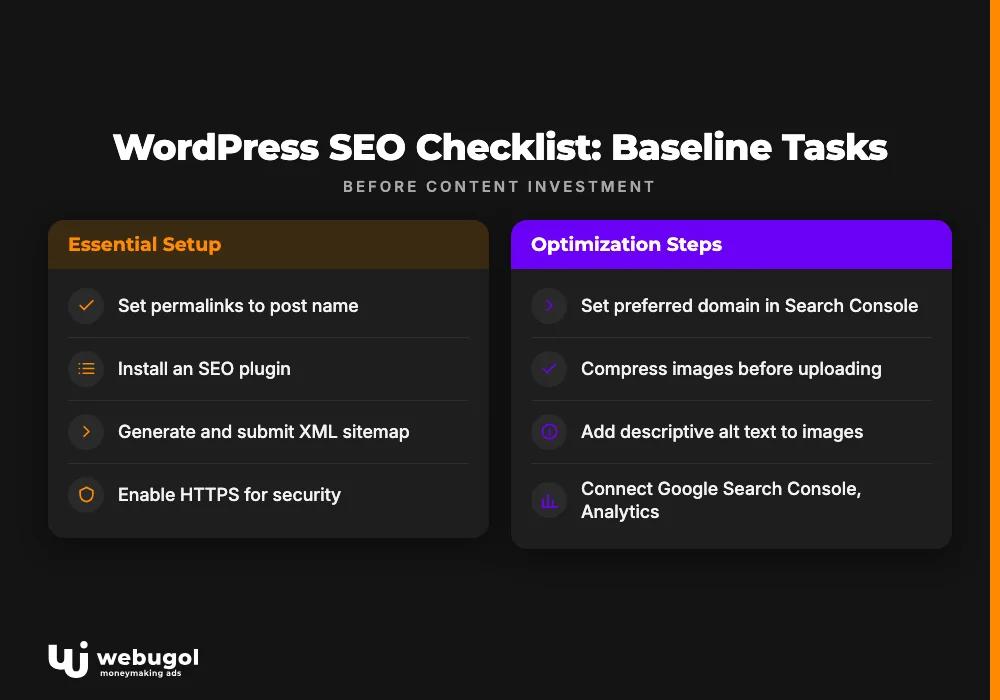
Clear these items before you invest heavily in content:
- Set permalinks to "Post name" under Settings > Permalinks. Short, keyword-relevant URLs are easier for crawlers to read than the default numeric format.
- Install an SEO plugin. Yoast SEO, AIOSEO, and Rank Math all expose meta titles, descriptions, and schema fields for every page without requiring code changes.
- Generate and submit an XML sitemap to Google Search Console. This gives search engines a direct map of your content.
- Enable HTTPS. Browsers flag HTTP sites with security warnings that reduce visitor trust and lower click-through rates from search results.
- Set a preferred domain (www vs. non-www) in Search Console and enforce it with 301 redirects.
- Compress images before uploading. WordPress does not automatically reduce uploads to web-optimized sizes.
- Add descriptive alt text to every image. Search engines index alt text to understand what each image contains.
- Connect Google Search Console and Google Analytics. Data you cannot see is a problem you cannot fix.
After clearing this list, run a full SEO audit of your site's technical setup and existing content to identify what remains.
What is the best SEO plugin for WordPress?
Yoast SEO is the most widely used SEO plugin for WordPress. The free version covers meta title and description editing, XML sitemap generation, breadcrumb schema, and readability analysis. That handles the majority of wordpress on-page seo needs for most sites.
For yoast seo configuration, these steps matter most:
- SEO > General > Site Representation: Set your organization name and logo to populate schema markup across the site.
- SEO > Search Appearance > Content Types: Configure title templates for posts and pages.
- SEO > General > Features: Confirm that XML sitemaps are enabled.
- SEO > Search Appearance > Taxonomies: Set tag archives and thin author pages to noindex to keep low-value content out of search results.
AIOSEO and Rank Math are solid alternatives with overlapping feature sets. Which plugin you choose matters less than using one consistently. Outdated plugins reduce website loading rates and lower search engine ranking signals, so keep your chosen tool current.

How do I improve SEO on my WordPress site?
Improving wordpress rankings requires work on two parallel tracks: technical health and content quality. The wordpress seo tips below start with technical fixes. Fix those first, because problems there limit what any content can achieve.
WordPress SEO tips for page speed
Page speed has a significant impact on your website's search engine ranking. Run your site through Google PageSpeed Insights first. That tool analyzes loading time across desktop and mobile and provides actionable steps for reducing it.
Apply fixes in this order:
- Choose the right hosting provider. High-performance servers that handle your traffic volume are the foundation. Shared hosting on overloaded servers is the most common source of slow WordPress response times.
- Install a caching plugin. Caching stores static copies of pages. This minimizes requests from visitors' browsers and reduces server response time substantially.
- Enable GZIP compression to reduce file transfer sizes. Most hosting control panels include a toggle for it.
- Use a CDN. A content delivery network distributes static files across geographically distributed servers so users receive content from a location close to them. This reduces latency regardless of where visitors are located.
- Resize and compress images before uploading. Unoptimized images are a consistent cause of slow load times and poor Core Web Vitals scores.
- Keep plugins updated. Outdated plugins reduce website loading rates and lower search engine ranking signals. Review installed plugins regularly and remove any that are inactive or unused.
Too many plugins can also create conflicts or slow performance due to compatibility issues, so add them only when there is a clear need.
For a detailed look at how load time affects search performance and how to measure it, see our full page speed guide.
URL structure and internal linking
URLs should be short and descriptive. The "Post name" permalink setting produces /your-topic rather than /?p=123. Set this before publishing. Changing URLs after launch requires 301 redirects to preserve existing ranking signals.
Internal links help visitors navigate and help search engines understand how pages relate to each other. Use specific, descriptive anchor text that reflects the destination page's topic. Do not stuff keywords into anchor text. Keyword stuffing in links can negatively affect rankings through Google's algorithm updates.
XML sitemaps
An XML sitemap tells search engines which pages exist and when they were last updated. Without one, crawlers may not reach every page, especially on larger sites. Yoast SEO generates and maintains a sitemap automatically.
After enabling it, submit the sitemap URL to Google Search Console under the Sitemaps report. Exclude low-value pages, such as tag archives and author pages with thin content. These dilute crawl attention away from content that matters.
XML sitemaps also carry useful metadata: each page entry includes last modified date, update frequency, and relative importance. This helps search engines prioritize which pages to crawl and reindex first.

How to do on-page SEO in WordPress?
On-page SEO in WordPress means optimizing the elements search engines evaluate on each individual page. Most of these wordpress seo tips apply directly inside the Yoast SEO panel that appears in the post editor.
Titles and meta descriptions
Your title tag is the most visible element in search results. Include your primary keyword near the beginning, keep the title under 60 characters, and match it accurately to page content. Yoast's snippet editor shows exactly how the title appears in Google.
Meta descriptions do not directly affect rankings. They affect click-through rate. Write the description to directly answer the user's query, include your keyword naturally, and keep it under 145 characters for full display on mobile.
Heading structure and content quality
Use one H1 per page. Structure the rest with H2 and H3 headings in logical order. This helps search engines understand topic hierarchy and helps visitors scan the page. Use sentence case for all headings and do not skip heading levels.
Place your primary keyword in the first paragraph, in one or two subheadings, and in body sections where it reads naturally. Keyword density follows from complete coverage. Forced repetition is detectable by current ranking algorithms. The core seo best practices wordpress editors rely on have not changed: thin content and keyword-stuffed pages underperform against well-structured, complete ones.
Image optimization
Every image needs a descriptive alt tag. Include a relevant keyword phrase where it fits naturally, and keep the alt text accurate to the image content.
Compress images before uploading. WordPress applies light default compression that is not sufficient for large files. Unoptimized images consistently slow page load times and contribute to poor Core Web Vitals scores. Both factors affect rankings directly.
Ready to improve your WordPress rankings?
Working through these wordpress seo tips takes time, but the gains compound over months. If you want a team to handle the technical audit, plugin configuration, content strategy, and ongoing reporting, Webugol helps businesses build and maintain organic search visibility that translates into measurable traffic growth. Contact us to discuss what is holding your current rankings back.
FAQ
Is WordPress good for SEO in 2026?
Yes. WordPress offers clean URL handling, flexible schema markup support, and a mature plugin ecosystem covering technical and on-page SEO needs. With proper configuration, it performs competitively in organic search across most industries.
What is the best SEO plugin for WordPress?
Yoast SEO is the most widely used option, covering meta titles, descriptions, XML sitemaps, and breadcrumb schema in the free version. AIOSEO and Rank Math are solid alternatives with comparable feature sets.
What is a WordPress SEO checklist?
A wordpress seo checklist covers permalink structure, HTTPS, SEO plugin installation, XML sitemap submission to Search Console, image compression with alt text, and analytics connection. These steps create the technical baseline every site needs before content investment gains traction.
How do I improve SEO on my WordPress site?
The surest way to improve WordPress rankings is to start with the technical layer: set the correct permalink structure, configure your SEO plugin, and address page speed issues identified in Google PageSpeed Insights. Then focus on content quality and internal linking. Both are required for sustained ranking gains.
How to do on-page SEO in WordPress?
Set a keyword-accurate title tag under 60 characters, write a meta description under 145 characters, use one H1 per page, structure content with H2 and H3 headings, and add descriptive alt text to every image. Yoast SEO surfaces all of these fields in the standard post editor.

