



Best DevOps Tools in 2026: Full Lifecycle Guide (Free + AI Options)
DevOps tools are the software that automates and connects each stage of your delivery pipeline, from planning and code review through deployment and production monitoring. For a startup team making stack decisions before or during MVP scoping, these choices compound quickly: a disconnected toolchain creates integration debt that slows delivery at exactly the moment your roadmap needs to accelerate. This guide covers every lifecycle category, compares free and paid options, and flags the AI tools worth adding in 2026.
What are DevOps tools, and why does your stack choice matter?
DevOps tools span six functional categories. Picking them in isolation creates integration debt faster than it creates speed. The specific pain for startup teams is toolchain sprawl: too many disconnected tools mean too many access models, too many webhooks to maintain, and too much context-switching before a single feature ships.
Whether you're the technical lead evaluating options or the founder approving the stack, the structural choice is identical: a cohesive set that connects end to end, or months of integration debt that delays every future release. The difference compounds. Teams that treat development and DevOps as separate engagements typically rebuild their delivery setup six months into scaling, paying for that choice in delayed releases and rising ops overhead rather than in license fees.
The six categories this guide covers:
- Planning and project management: where work is tracked and prioritized
- Source control and collaboration: where code lives and reviews happen
- CI/CD pipeline tools: where code is built, tested, and deployed automatically
- Infrastructure and orchestration: where servers and containers are provisioned and managed
- Monitoring and observability: where system health is measured and debugged
- Security, compliance, and database: where risk is caught early and schema changes are managed safely
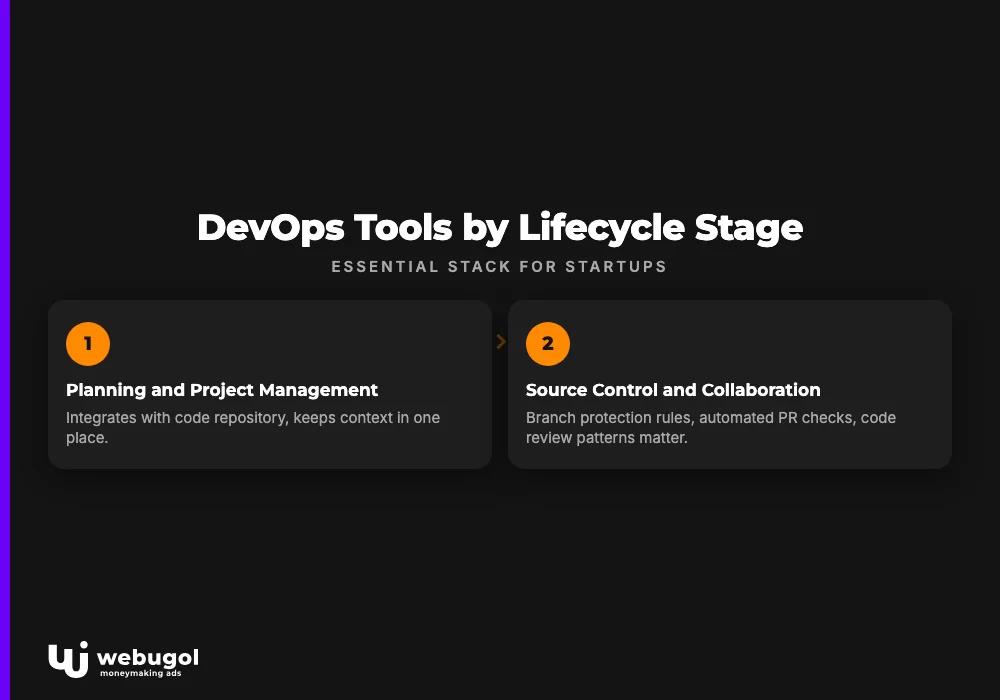
DevOps tools by lifecycle stage
Devops lifecycle tools have distinct requirements at each delivery stage, and that is why random tool rankings mislead. A CI/CD tool chosen without considering its runner cost will surprise you at billing time. An orchestration platform chosen without thinking about your team's ops capacity will surprise you sooner. The subsections below map concrete free and paid options to their stage.
Planning and project management
The choice here is less about features and more about how closely the tool integrates with your code repository. A planning tool that lives next to your pull requests keeps context in one place and removes the sprint-review update ceremony that adds no delivery value.
- Linear (free for small teams): uses fast, opinionated Kanban and integrates natively with GitHub; most startup engineering teams default to it
- GitHub Projects (free): lives inside GitHub, connects issues directly to PRs, and requires minimal setup overhead
- Jira (per-seat model): fits multi-team sprint boards well but adds meaningful overhead for teams under 10
- Notion (free tier): doubles as a documentation hub but has weaker native Git integration than the options above
- Asana (per-seat model): fits cross-functional teams better than pure engineering workflows
Source control and collaboration
Branch protection rules, automated PR checks, and code-review patterns matter as much as storage here. A repository without branch protection lets a single unreviewed push break production. A repository without automated status checks makes code review slower and deploys less predictable.
- GitHub (free for small teams, 2,000 CI/CD minutes per month on the free tier): provides the largest ecosystem of integrations and is the default for most teams
- GitLab (free self-managed): includes CI/CD natively and suits teams that want planning, source control, and pipeline in one platform
- Bitbucket (free for teams under 5): integrates tightly with Jira but has a weaker overall ecosystem than GitHub
- Gitea (open source, self-hosted): delivers a minimal resource footprint and full control for teams that want GitHub-like UX without vendor lock-in
CI/CD pipeline tools
This is the core of the devops pipeline tools intent, and the category where over-engineering is most common. Three things matter more than any feature comparison: trigger model, runner cost on a startup budget, and secrets-handling approach.
Devops deployment tools handle the full deploy cycle. Code push triggers a build, tests run, artifacts are created, a deploy fires. Each option below makes different tradeoffs on those three axes.
- GitHub Actions (2,000 free minutes per month): provides YAML-native CI/CD with the fastest setup for GitHub repos and the largest marketplace of pre-built actions
- GitLab CI (free with self-hosted runners): handles strong matrix builds and brings runner cost to near zero with self-hosted infrastructure
- CircleCI (per-credit model): starts up faster than Jenkins, parallelizes test suites well, and runs on managed runners
- Jenkins (open source, self-hosted): allows unlimited builds but carries high ops overhead; use it only when you need custom agent requirements
- ArgoCD (open source): implements Kubernetes-native GitOps and pairs naturally with the infrastructure layer once you have container workloads
Infrastructure and orchestration tools in DevOps
Infrastructure provisioning and container orchestration are different problems. Terraform and Pulumi provision cloud resources. Kubernetes and Helm manage containers once you have them running. Conflating the two is one of the most common early-team mistakes.
Kubernetes on day one is usually over-engineering. A single managed container service such as AWS ECS, Fly.io, or Railway covers most startup deployments without the ops surface area that orchestration tools in DevOps require. Add Kubernetes when you have multiple services, meaningful traffic, and an engineer who can own the cluster.
- Terraform (open source): provides provider-agnostic infrastructure as code and is the default for cloud provisioning at any scale
- Pulumi (open source): covers the same ground as Terraform but accepts TypeScript, Python, or Go instead of HCL
- Kubernetes (open source): orchestrates containers at scale; evaluate it after you have multiple services and real traffic
- Helm (open source): manages Kubernetes application packages; Kubernetes is a prerequisite
- Docker Compose (free): handles local development and simple single-server deploys with zero overhead for early-stage teams
What's the difference between monitoring and observability in DevOps?
Monitoring tracks predefined metrics and fires alerts when thresholds are crossed; observability combines logs, metrics, and traces so your team can understand why a system misbehaves in ways no preset alert ever anticipated. The distinction matters. Devops monitoring tools tell you something broke; observability devops tools tell you what happened, in what order, and in which service.
For a startup, the minimum viable stack is Prometheus and Grafana for metrics plus Sentry for error tracking. Add distributed tracing through OpenTelemetry when you have more than two services exchanging requests.
- Prometheus + Grafana (open source): provide the strongest free monitoring stack with a high ceiling, though the setup curve is steep; widely referenced as the benchmark for self-managed monitoring tools in devops
- OpenTelemetry (open source): establishes a vendor-neutral instrumentation standard for distributed tracing and is the right foundation before committing to a managed platform
- Datadog (per-host / per-APM model): delivers managed full-stack observability quickly and integrates natively with azure devops tools and GitHub Actions pipelines
- Sentry (free tier for error tracking, per-event model at volume): correlates frontend and backend errors and is usually the first paid tool startup teams add
- Better Stack (per-seat model): combines uptime monitoring with log management and keeps ops overhead low for small teams
Security and compliance (DevSecOps) tools
DevSecOps means shifting security left: running checks inside the CI/CD pipeline rather than layering audits on after deploy. The payoff is catching vulnerabilities before they reach production rather than after a customer reports them.
Devops security tools handle vulnerability scanning, container image analysis, and secrets management. Devops compliance tools add policy enforcement, audit logging, and access controls for teams operating under SOC 2, HIPAA, or similar frameworks. Both categories belong in the pipeline, not in a quarterly review.
- Snyk (free tier for open-source scanning, per-developer model at scale): integrates with GitHub and GitLab CI and catches dependency vulnerabilities on every PR
- Trivy (open source): scans containers and infrastructure-as-code for vulnerabilities as a CI step with zero ops overhead
- HashiCorp Vault (open source community edition): manages secrets and stops credentials from leaking through environment files
- Checkov (open source): analyzes Terraform and Pulumi configurations statically and catches misconfigurations before provisioning
- OWASP Dependency-Check (open source): scans libraries for vulnerabilities across most language ecosystems and provides a good baseline for teams without a dedicated security budget
Database DevOps tools
Schema migrations are the highest-risk step in any deployment pipeline. A code deploy can roll back in seconds; a migration that removes a column cannot. Database devops tools give schema changes the same guarantees that source control gives your application code: versioned, auditable, and reversible.
No top-10 competitor covers this as a named section. The gap reflects how most tooling guides are written from a CI/CD-first view that stops at the application layer. For any team deploying with a relational database, skipping this category is how you end up with a production incident on a Friday.
- Flyway (open source community edition): handles SQL-based migrations with low friction and wide database support; it is the fastest tool to add to an existing pipeline
- Liquibase (open source community edition): manages XML, YAML, and SQL migrations and offers stronger enterprise compliance features than Flyway
- Atlas (open source): implements schema-as-code with automatic diff and declarative migrations; it represents the most modern approach among devops database automation tools
- PlanetScale (per-use model at scale): provides a branch-based database workflow adapted from Git and enables schema changes without table locking

AI-powered DevOps tools: What changed in 2026?
The clearest dividing line in 2026 is function, not hype. AI genuinely automates boilerplate, test scaffolding, pipeline YAML generation, and anomaly detection. Architecture decisions and incident root-cause analysis still require human judgment.
AI reduces toil inside the pipeline. It does not replace judgment.
For startup founders deciding whether to include ai devops tools in an initial stack: the ROI is highest on code generation and test scaffolding at the MVP stage, where the cost of writing repetitive tests or pipeline configuration is high relative to team size.
- GitHub Copilot (per-seat model): provides code completion and PR review summaries and integrates natively with GitHub and azure devops tools workflows
- Cursor (per-seat model): gives an AI-first IDE with multi-file editing and is strongest for rapid scaffolding and refactors across a new codebase
- CodiumAI / Qodo (free tier available): generates tests from existing code and reduces the time spent writing unit and integration tests
- Datadog Watchdog (included with Datadog): detects anomalies without manual threshold configuration and flags unusual patterns before alerts fire
- Harness AI (per-use model): generates pipelines with AI assistance and selects which tests to run intelligently, reducing overall CI run time
- LinearB (per-seat model): tracks engineering metrics and generates AI-powered improvement suggestions for DORA metrics; useful when you need delivery performance data without a dedicated engineering manager

How do you choose the right DevOps tool stack for a small team?
A 2-5 engineer team needs at most one tool per lifecycle category, chosen for low ops overhead and free-tier viability, not for feature completeness. More tools mean more maintenance surface. Coherence beats completeness.
The most common over-engineering traps: adopting Kubernetes before you have traffic to justify it, using Jenkins because it is powerful rather than because you need it, adding observability devops tools before you have enough services to generate meaningful trace data. A smaller, coherent devops tools list outperforms a comprehensive one that nobody has time to maintain.
Five criteria for evaluating every automation tool for devops in your stack:
- Team size fit: does this tool need a dedicated person to maintain it? If yes and you are under 10 engineers, it is probably wrong for your stage.
- Cloud provider alignment: azure devops tools and AWS-native options integrate at the IAM layer; mismatched cloud and CI combinations add auth overhead before you ship anything.
- Free-tier ceiling: can you operate for 6-12 months on the free tier before hitting a paywall that forces a decision under pressure?
- Learning curve vs. team background: a tool that takes a month to configure is expensive even when the license is free.
- Integration surface: does it connect to the rest of your stack with native integrations, or does every sync require a custom script?
If you're still mapping out your first engineering foundation, help startups covers the structural decisions that come before tooling choices.
Webugol works with startup teams at exactly this stage: scoping the production build, the deployment model, and the monitoring setup together so there is no handoff gap between what ships and what your team can operate. That is what software development services looks like when development and delivery are treated as one integrated system. The difference is a reduced cost per shipped feature from day one, not after a reactive rebuild six months in. The product you ship starts growing from day one, not after a separate marketing engagement.

Starter stacks: free vs. paid side-by-side
The comparison no top-10 competitor provides: concrete free-tier and paid choices mapped to each lifecycle category, so a startup team can see which upgrade makes sense at which stage.
| Category | Free option | Paid option |
|---|---|---|
| Planning | Linear (free tier) | Jira (per-seat) |
| Source control | GitHub Free | GitHub Team or GitLab Premium |
| CI/CD | GitHub Actions (2,000 min/mo) | CircleCI (per-credit) or self-hosted GitLab CI |
| Infra / Orchestration | Terraform + Docker Compose | Terraform Cloud or Pulumi Cloud |
| Monitoring | Prometheus + Grafana + Sentry free | Datadog or Better Stack |
| Security / Database | Trivy + Flyway | Snyk + Liquibase or Atlas Pro |
Two signals tell a pre-Series A team it is time to upgrade from free to paid. First: recurring ops overhead, meaning you spend more time maintaining the tooling than shipping with it. Second: cross-tool incident blind spots, meaning an outage spans monitoring, deployment, and database with no single view showing the full picture.
SaaS-specific deployment patterns add pipeline and secrets-management requirements to this baseline, particularly around multi-tenant isolation and environment promotion. If you are building a SaaS product, saas mvp development outlines how those pipeline decisions interact with the product architecture from day one.
Ready to build your DevOps stack the right way?
Webugol builds websites that grow for startup engineering teams, with DevOps setup included as part of a full-stack engagement that covers development and marketing together. The right tool choices at the start prevent months of reactive refactoring later. Contact us to scope your project and get a stack recommendation matched to your team size, cloud provider, and delivery goals.
FAQ
What DevOps tools do engineers use every day?
The most commonly used devops tools in daily engineering work are GitHub or GitLab for source control, GitHub Actions or GitLab CI for automated builds and deploys, and a monitoring tool for incident alerts. Sentry and Datadog appear frequently in day-to-day debugging. For infrastructure, Terraform is the most common choice for teams managing cloud resources through code.
What is the best free CI/CD tool for DevOps?
GitHub Actions is the strongest free starting point: it includes 2,000 minutes per month on the free tier, runs natively on GitHub repositories, and has the largest ecosystem of pre-built actions. GitLab CI with self-hosted runners removes the minute ceiling entirely for teams willing to manage their own runner infrastructure. The right choice depends on where your code already lives.
Can AI tools replace traditional DevOps toolchains in 2026?
No. AI devops tools automate specific tasks such as writing pipeline YAML, generating test scaffolding, and detecting anomalies, but they run on top of the traditional toolchain rather than replacing it. GitHub Copilot still needs GitHub Actions to execute the code it helps write. The value is in reducing toil inside each lifecycle stage, not in removing the stages themselves.
How many DevOps tools does a small team actually need?
One per lifecycle category is the right ceiling for a 2-5 engineer team: one for planning, one for source control, one for CI/CD, one for infrastructure, one for monitoring, and one for security. Six tools total, most available on free tiers. Adding more before that baseline runs smoothly adds maintenance cost without adding delivery speed.
What is the difference between DevOps automation tools and CI/CD pipelines?
Devops automation tools is the broader category covering anything that eliminates manual steps across the lifecycle, including infrastructure provisioning, test generation, and deployment scripting. CI/CD pipelines are a specific subset: the automated sequence that builds, tests, and deploys code on every push. All CI/CD pipelines are devops automation tools; not all devops automation tools are CI/CD pipelines.