



Google Ads enhanced conversions: how they work and how to set them up
Google Ads enhanced conversions extend standard conversion tracking by hashing and sending first-party customer data, such as email addresses and phone numbers, to Google when a conversion occurs. Google matches that hashed data against its signed-in user database to credit the right ad click to the right purchase, even when the customer switched devices or when cookies were unavailable. The feature is free, configures once per conversion event rather than per campaign, and gives Smart Bidding a more complete signal to work with.
What enhanced conversion tracking actually captures
Standard conversion tracking depends on a browser cookie placed when the user clicks your ad. That cookie must persist until purchase. Switch devices, clear the browser, use Safari, or decline the consent banner, and the click-to-purchase connection breaks.
Enhanced conversions add a parallel, data-based path using identifiers the customer actively submits, not passive cookies.
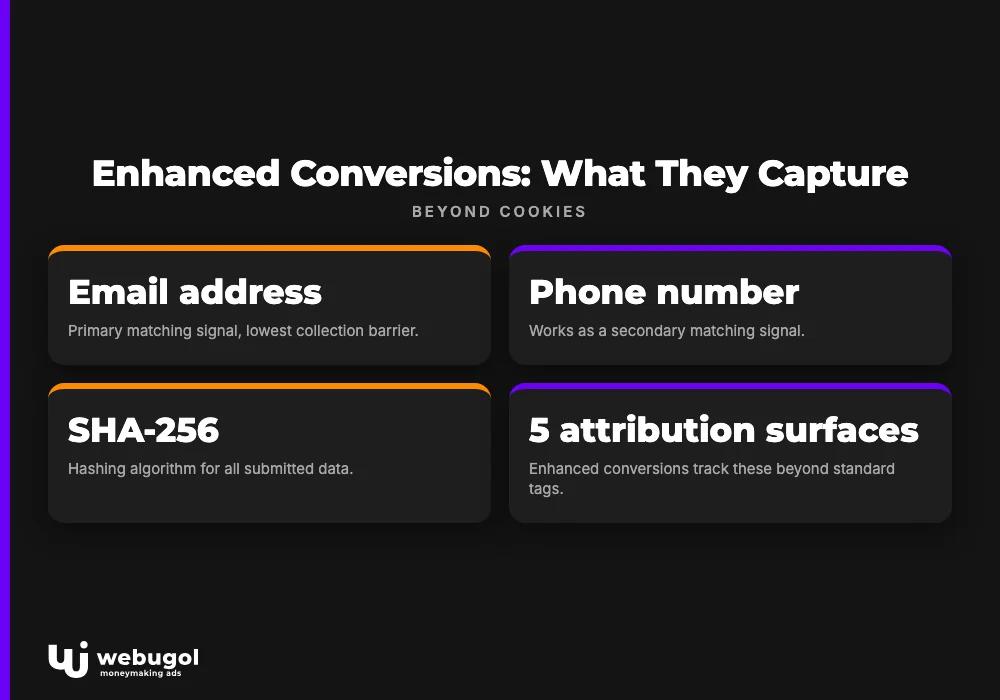
Google's primary matching signal is the email address. It has the lowest collection barrier because most checkout and lead forms already require one. Phone number works as a secondary signal. Physical mailing address paired with name is the third option. All three are hashed locally with SHA-256 before any data leaves the browser. Google receives only the hashed value, runs the match internally, and discards the raw data. Individual records are never exposed to advertisers.
Here is what this first-party data tracking can attribute that standard tags cannot:
| Conversion type | What it connects |
|---|---|
| Cross-device purchases | Ad click on a laptop linked to a checkout on a different device |
| In-store visits | Physical location entry that followed an online ad exposure |
| Inbound calls | Campaign that generated a direct phone inquiry |
| App actions | Downloads or sign-ups that followed an ad click |
| Offline purchases | Credit card transaction at a physical terminal matched to an ad impression |
These five attribution surfaces share one mechanism: Google matches the customer-provided identifier against its own database of signed-in users. No cookie required.
The SHA-256 hashing step matters for more than regulatory compliance. Advertisers do not need to build a separate consent flow because the customer is already providing an email address to complete their transaction. The tag captures it in the background, hashes it before transmission, and the raw value never reaches Google's servers. This design lets businesses improve measurement accuracy without collecting new categories of personal data from their customers.
How do Google Ads enhanced conversions work?
The matching process runs in four steps, all inside Google's infrastructure.
A customer clicks your ad, lands on your site, and completes a transaction or fills out a form. They enter an email address during checkout or registration. Your conversion tag, whether that is the Google tag, a Google Tag Manager container, or a server-side API call, captures that submitted email immediately.
The tag hashes the email with SHA-256 before any data is transmitted. The original value never leaves the browser in plain text. Google receives only the hash and compares it against hashed identifiers tied to signed-in Google accounts. When a match is found, the system attributes the conversion back to the specific ad click that preceded it.
The matched conversion appears in your reports with correct campaign attribution. Credit that would have been lost shows up in the right place.
To make this concrete: a shopper researches a skateboard on a work laptop, views your ad, and decides not to buy right away. Two hours later, they purchase on their smartphone and enter the same email address connected to their Google account. Standard tracking sees two disconnected sessions and records no conversion. Google Ads enhanced conversions connect the two through the email match, correctly crediting the campaign that drove the initial click. According to Google, users retain control over this matching through their account privacy settings, and matched data is used only for attribution purposes.
Does enhanced conversion tracking work without cookies?
Yes. That is the core reason to configure it. Safari's Intelligent Tracking Prevention, browser-level ad blockers, and consent opt-outs all reduce the reach of standard cookie-based tags. Enhanced conversions substitute a hashed identifier for the cookie as the matching mechanism, so attribution holds even when the browser prevents cookie storage entirely. For campaigns in sectors where consent opt-in rates tend to run lower, the measurement gap from cookie loss is proportionally larger. Getting conversion tracking setup right is the prerequisite for accurate bidding, and first-party data tracking is now the more reliable of the two approaches available.
What is the difference between standard and enhanced conversions?
The simplest framing: standard conversions work when a persistent cookie connects a click to a later purchase. They fail when the cookie does not survive. Enhanced conversions use a hashed customer identifier to cover the cases cookies miss.
Both paths run simultaneously for the same conversion events. Cookie path works? That attribution applies. Cookie path breaks? The data path covers the gap. Google deduplicates automatically, so no conversion is counted twice.
The practical difference shows up in three areas.
Reporting completeness. Advertisers commonly see conversion volume increase after enabling enhanced conversions because purchases that were previously unattributed now get correctly credited to campaigns. The aggregate numbers become more reliable for actual decision-making.
Smart Bidding accuracy. Target CPA and Target ROAS strategies train on conversion signals. Incomplete data skews the model's understanding of what a genuine conversion looks like, leading to suboptimal bid decisions. More complete data means the algorithm learns from a cleaner signal, and the improvement compounds over time as better-quality inputs accumulate. Closing this measurement gap is one of the first technical steps worth taking when improving Google Ads performance over time.
Customer match tracking. Matched conversions feed Google's Customer Match system, which lets you build audiences from converted customers and re-engage them in future campaigns using the same hashed email dataset. Better attribution feeds better audience lists, which improves reach for remarketing and audience exclusion targeting without any additional data collection overhead.
What are the requirements for Google Ads enhanced conversions?
Three conditions must be in place before the feature can function.
An existing conversion action. Enhanced conversions layer on top of standard conversion tracking. You need at least one event already configured in your Google Ads account: a purchase, lead form submission, or sign-up completion. The feature adds precision to existing tracking; it does not replace it.
First-party data at the conversion point. Your website must collect customer-provided data at the moment of conversion. For most sites, this means a checkout or lead form that asks for an email address. If your conversion flow does not request any contact information, there is nothing for the tag to capture and the feature cannot operate.
A matchable identifier. Email is Google's preferred signal and is sufficient on its own. Phone number is a strong secondary option. Mailing address combined with name is accepted but less effective for cross-device matching because it is harder to tie directly to a Google account identifier. Email is the recommended starting point: it stands alone, and most conversion flows already require it.
One clarification on what you receive back: this feature does not give you individual user records. Reports show aggregate conversion counts and values assigned to campaigns. Which specific users took which actions stays protected throughout. The conversion data returned remains entirely anonymized.

How to set up enhanced conversions in Google Ads?
There are three implementation paths. Which one fits your situation depends on how your existing tracking is built.
Using the Google tag
If your site already runs the Google tag directly in the page code, this is the lowest-effort path. In your Google Ads account, go to Tools, then Measurement, then Conversions. Open the conversion action you want to enhance, edit it, and find the Enhanced conversions section. Enable the feature and select "Google tag" as the implementation method.
You then map CSS selectors or JavaScript variable references to the customer data fields on your page, specifically the email input and, optionally, phone or address fields. Google provides a tag diagnostics tool within the interface to verify the mapping is working before changes go live. No additional code is needed beyond what the standard Google tag already places on your site.
After enabling, check the Enhanced conversions column in your conversion reports. Low match rates below 30% typically point to a field mapping issue, such as the tag referencing an input field that does not populate until after the tag has already fired.
Enhanced conversions via GTM
For sites managed through Google Tag Manager, the conversion tracking setup runs through the GTM interface. Open or create your Google Ads Conversion Tracking tag in GTM, enable the Enhanced conversions option within that tag, and configure the user-provided data fields using Data Layer variables or page element selectors.
When enhanced conversions GTM configuration is done correctly, GTM's preview mode lets you confirm what data the tag is reading in real time before you publish the container. Google Tag Manager conversions give developers precise control over when and how data fires, making this the preferred implementation when a developer is involved and the site already uses a structured Data Layer.
Enhanced conversions API
The enhanced conversions API sends conversion data from your server rather than from the browser. Your server captures the conversion event, hashes the customer data server-side, and sends it directly to Google's API endpoint. Because the call originates server-side, browser-based blocking has no effect on data collection.
This is the most robust path. It is also the most resource-intensive. Expect several days of engineering work for initial setup and testing. The API is the right choice for high-volume operations, businesses with strict data governance requirements, or checkout architectures that do not support reliable client-side tag firing. Google supports this implementation through both the Google Ads API and the Measurement Protocol for Google Analytics 4.
Who should prioritize setting up enhanced conversions?
Most advertisers running lead generation or e-commerce campaigns stand to benefit from this feature. The urgency depends on your account's specifics.
If your campaigns rely on Smart Bidding strategies like Target ROAS or Target CPA, incomplete conversion data directly weakens performance. Every unattributed purchase is a missing training signal for the algorithm. Enhanced conversions are a foundational setup step. Not optional.
If your audience skews toward iOS users, privacy-conscious segments, or customers in industries with lower consent opt-in rates, the measurement gap from cookie loss alone is larger than average. First-party data tracking recovers a meaningful share of what standard tracking misses in those conditions.
If you run Customer Match audiences in your Google Ads campaigns, enhanced conversions strengthen audience list match rates at no additional cost. The same hashed email data that powers conversion attribution also feeds audience membership, improving coverage for remarketing and exclusion targeting.
The feature is free. Each conversion event needs to be configured once, not once per campaign. Day-to-day maintenance after launch is minimal. For any active account spending meaningfully on paid search, leaving this unconfigured carries a real cost in measurement accuracy and bidding quality.
Accurate conversion data also forms the foundation for understanding what different business objectives Google Ads can address, since goal-level performance analysis only holds up when the underlying attribution reflects what is actually happening.

Ready to close your conversion tracking gaps?
Incomplete attribution costs more than most advertisers notice. Smart Bidding learns from conversion signals. When those signals have gaps, bids reflect a partial picture, and budget flows toward campaigns that look good in reporting but may be missing a significant portion of actual conversions.
The team at Webugol builds conversion tracking setups that hold up under real-world conditions, from Google tag implementations to server-side API configurations. To confirm that enhanced conversions are working correctly on your account before the next campaign cycle, get in touch.
FAQ
How do Google Ads enhanced conversions work?
Google Ads enhanced conversions capture hashed customer data, such as an email address, at the moment of conversion and send it to Google, which matches it against its signed-in user database to credit the correct ad click. Only the SHA-256 hash is transmitted, never the raw value. This allows attribution to work across devices and in scenarios where cookies are unavailable or blocked.
What data do enhanced conversions require?
An email address is Google's primary and preferred matching signal. Phone number and postal address with name are secondary options that can supplement or replace email in some implementations. Email alone is sufficient for most setups and carries the lowest collection barrier since most checkout and lead forms already ask for it.
Does enhanced conversion tracking work without cookies?
Yes. Enhanced conversions use hashed first-party data as the matching signal rather than browser cookies. Attribution holds even when a user declines consent, uses a browser that restricts tracking, or completes a purchase on a different device from the one they used to click the ad.
What is the difference between standard and enhanced conversions?
Standard conversions depend on a persistent browser cookie linking a click to a later purchase. Enhanced conversions add a parallel path using hashed customer data, covering the conversions that the cookie path misses. Both paths run simultaneously and Google deduplicates the result, so no conversion is counted twice.
How long does it take to set up enhanced conversions?
Configuring enhanced conversions via the Google tag or Google Tag Manager takes under an hour for a site that already has standard conversion tracking in place. The server-side API implementation requires developer involvement and typically takes a few days of engineering work for initial setup and testing.

