



SEO redirects: how 301, 302, and 307 affect your rankings
SEO redirects send browsers and search engine crawlers from one URL to another. The redirect type you choose tells Google whether a page has moved permanently or temporarily, which determines whether link equity transfers to the destination. Using the wrong type, or letting redirects stack into chains across multiple hops, can quietly drain rankings over months without triggering any obvious error.
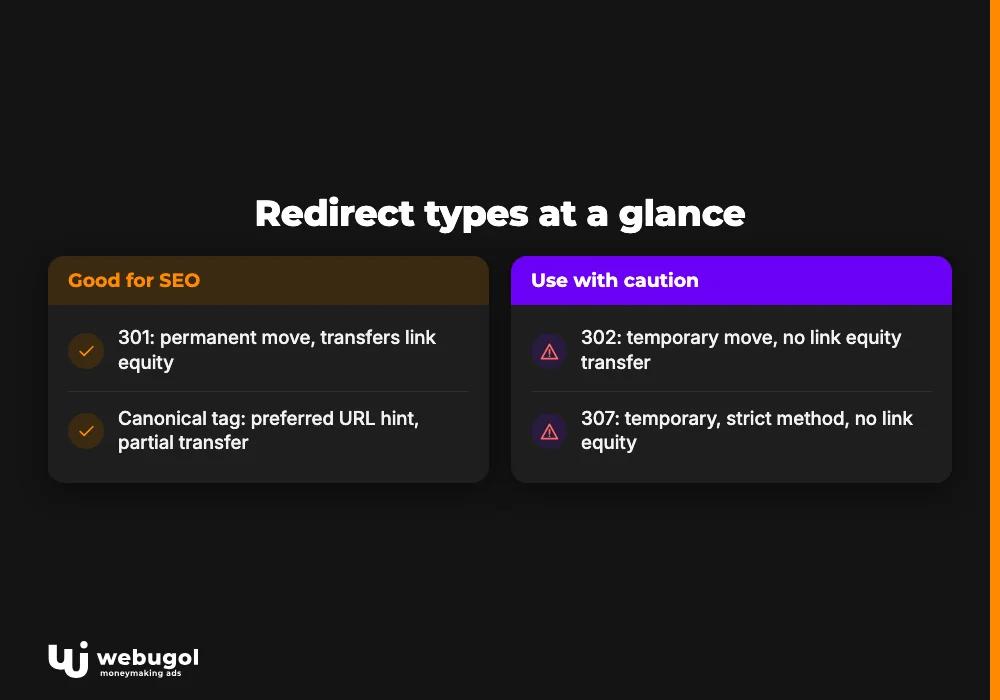
Redirect types at a glance
| Redirect type | Signal | Link equity transfer | Common use case |
|---|---|---|---|
| 301 redirect permanent | Permanent move | Yes | Site migrations, domain changes, consolidating pages |
| 302 redirect temporary | Temporary move | No | A/B testing, maintenance pages, seasonal campaigns |
| 307 redirect | Temporary (strict method) | No | POST-based forms where the request method must not change |
| rel="canonical" tag | Preferred URL hint | Partial, not guaranteed | Duplicate content when both URLs must stay accessible |
What is a 301 redirect in SEO?
A 301 redirect permanent tells search engines that a URL has moved to a new address for good. Google removes the original URL from its index, replaces it with the new one, and transfers the link equity from any backlinks pointing at the old address.
Link equity is the ranking authority a URL accumulates through backlinks. When you implement a 301 redirect, that accumulated authority flows to the destination URL rather than disappearing. This transfer is why 301 redirects are the foundation of successful site migrations: correctly implemented SEO redirects allow the new URL structure to inherit the ranking history built at the old addresses.
For technical SEO work, the 301 redirect is the default choice whenever a URL change will not be reversed. That covers domain migrations, folder restructures, page consolidations, and moving from HTTP to HTTPS. The signal is unambiguous: the old URL no longer exists as a distinct entity, and the new one takes over its full ranking history.
A permanent 301 also resolves the www versus non-www duplicate. If both example.com and www.example.com return content, choosing one as the canonical version and redirecting the other to it with a 301 eliminates that split at the server level.
When should you use a 302 instead of a 301 redirect?
A 302 redirect temporary signals a short-term move. Search engines keep the original URL in their index and do not transfer link equity to the destination, because the expectation is that the original will return.
Correct cases for a 302 include ongoing A/B testing of page layouts, redirecting users to a holding page during a site rebuild, and pointing to a seasonal campaign page that will be replaced when the promotion ends. The 302 communicates that the original address remains authoritative.
The most damaging error in managing SEO redirects is reaching for a 302 when the move is actually permanent. If you redirect an old domain to a new one with a 302 redirect temporary, Google keeps indexing the old domain instead of building authority at the new address. Over time, both URLs compete for the same queries with neither receiving the full ranking signals that should belong to the new domain.
What is the difference between 301, 302, and 307 redirects?
All three are server-side SEO redirects, but they carry different signals about permanence and how the HTTP request method is handled across the hop.
The 301 redirect permanent ends the life of the original URL in Google's index. Use it when a move is final and you want all ranking signals consolidated at the new destination.
The 302 redirect temporary keeps the original URL alive in the index. Use it when the original destination will return. Because the 302 does not transfer link equity, using it for something permanent is a common way to leak ranking value silently over time, particularly after site migrations where redirects are set up quickly and never reviewed.
The 307 redirect is a temporary redirect with one additional constraint: the HTTP request method, GET or POST, must remain the same between the original request and the redirected one. The 302 was originally intended to enforce the same rule, but older browser implementations frequently converted POST requests to GET, discarding form data in the process. The 307 was introduced to close that gap. For SEO purposes, Google treats 302 and 307 identically: both are temporary, and neither passes link equity the way a permanent redirect does. The 307 is a technical choice for forms and login flows where losing POST data would break functionality, not a routine SEO redirect type.
For most redirect decisions in day-to-day SEO work, the choice comes down to 301 versus 302. The 307 is relevant in specific application-layer contexts.
Do redirects hurt SEO?
Properly implemented SEO redirects do not meaningfully hurt rankings. A single permanent redirect from an old URL to a relevant new page carries nearly all of the original ranking signals, and Google re-indexes the destination in place of the old address.
What causes real ranking damage is mismanaged redirect infrastructure:
- Redirect chains: URL A redirects to URL B, which redirects to URL C. Each extra hop reduces the link equity reaching the final URL and adds latency to every request.
- Redirect loops: URL A redirects to URL B, which redirects back to URL A. Both pages become unreachable.
- Irrelevant destinations: redirecting a specific product page to an unrelated homepage confuses Google's understanding of what the original page covered.
- Missing redirects: pages removed without a redirect lose their accumulated link equity entirely, and any backlinks pointing to those URLs become dead ends.
The pattern that matters is not the presence of SEO redirects but the quality of their implementation. Clean, direct 301 redirects to topically relevant destinations do not damage rankings. Chains, loops, wrong types, and coverage gaps do.
How do redirect chains affect SEO?
A redirect chain occurs when reaching the final URL requires following more than one redirect. If example.com/page-a redirects to example.com/page-b, which redirects to example.com/page-c, that is a two-hop chain before any content is served.
Each hop in a redirect chain reduces the link equity reaching the final URL. Each hop also adds a round-trip HTTP request, increasing page load time for every user following that path. On slower connections, a chain of three or four redirects creates a noticeable delay before content begins loading.
From a crawl perspective, Googlebot may stop following a redirect chain before reaching the final destination if the chain is long or if server responses are slow. The intended URL can end up under-indexed relative to the link equity pointing at it through the chain.
The fix is direct: update each redirect rule to map immediately to the final destination, eliminating intermediate hops. If example.com/page-a ultimately leads to example.com/page-c, the redirect rule for page-a should point to page-c directly. Chains most often form when new SEO redirects are layered on top of existing ones without removing intermediate rules. Running a fresh audit of your redirect rules before and after each site change prevents these chains from compounding over time.
The page load time cost of redirect hops compounds on high-traffic pages, making chain cleanup one of the more accessible technical fixes available without requiring development resources.

URL canonicalization and canonical tags
URL canonicalization designates one URL as the preferred version of a page when multiple URLs deliver the same or nearly identical content. Without clear canonicalization signals, search engines may index all versions separately, splitting your page's ranking signals across duplicates.
Common sources of duplicate URLs include:
- www and non-www versions both accessible at the same content
- HTTP and HTTPS versions both returning a page before the redirect is configured
- Trailing slash variations where /page and /page/ are treated as distinct URLs
- URL parameters generating near-identical pages, such as /products?sort=asc and /products?sort=desc
URL parameters are a particularly common problem on e-commerce and database-driven sites. A product listing page with sorting, filtering, and pagination options can produce dozens of distinct URLs serving nearly identical content. Without canonicalization, crawl budget is spent on parameter variations instead of on new or updated content elsewhere on the site.
The two tools for resolving canonicalization problems are SEO redirects and canonical tags.
A 301 redirect permanent removes the duplicate URL entirely. Redirecting http://example.com to https://example.com sends all traffic and link equity to the HTTPS version. Google stops indexing the HTTP version. This is the stronger of the two signals.
A canonical tag is placed in the <head> section of a page using a rel="canonical" attribute and points to the preferred URL. It tells search engines which URL to index without blocking access to the duplicate. Content management systems like WordPress include built-in canonicalization support that handles this automatically for standard page types.
Canonical tags are hints, not directives. Google may override a canonical tag if other signals strongly indicate a different preferred URL. A 301 redirect permanent is a definitive instruction; a canonical tag is a recommendation that can be disregarded.
When canonical tags are the wrong tool
Canonical tags have limited value in certain situations. If neither version of a duplicate URL carries meaningful backlinks, the tag helps Google pick an indexing preference but generates no ranking benefit. When you cannot identify a clear winner between competing URL versions, consolidating all variations under a single, well-linked address through SEO redirects is cleaner than leaving multiple versions live with canonical hints managing the split.
Avoid using canonical tags on expired domains where neither the old nor the new URL has accumulated authority. In that situation, a 301 redirect to the new domain is more useful.
HTTP to HTTPS redirects
An HTTP to HTTPS redirect is the most common large-scale application of the 301 redirect permanent. Every request for the insecure version of a page is forwarded to the encrypted version. Google has confirmed HTTPS as a ranking signal, and current browsers label HTTP pages as "not secure," which reduces user trust and click-through rates from search results.
Getting this right requires more than securing the homepage:
- Configure a server-level 301 redirect from http:// to https:// for every page on the site, not just the root URL.
- Update your XML sitemap and rel="canonical" tags throughout to reference HTTPS URLs.
- Update internal links in your content to point directly to HTTPS, not HTTP, to avoid creating redirect chains where each internal click triggers an additional hop on every request.
- Verify that your SSL certificate covers all subdomains and page paths in use.
A common mistake after an HTTPS migration is securing only the homepage while leaving the rest of the site accessible over both HTTP and HTTPS. That creates two competing versions of every other page in Google's index. The fix is a sitewide server-side redirect rule, not a page-by-page update.
Detecting SEO redirects on your site
You can identify whether a URL is a redirect and what type it is through three approaches.
Response header inspection: Open browser developer tools, navigate to the Network tab, request the URL, and check the status code in the response. A "301 Moved Permanently" or "302 Found" code confirms a redirect, and the Location header shows the destination URL.
Redirect checker tools: Crawler tools and dedicated redirect-path checkers follow the full chain from the requested URL to the final destination, displaying every hop and its status code. These tools make it practical to audit large sets of SEO redirects at once rather than checking each URL individually.
Manual navigation: Visiting a suspected URL and observing whether the browser ends up at a different address confirms a redirect exists, though it does not reveal the status code without developer tools.
For ongoing redirect management, maintaining a redirect map that documents every active redirect with its source URL, destination URL, type, and date added makes it straightforward to identify when a new rule might create a chain by pointing to a URL that is itself already redirected. This document-as-you-go approach catches the most common source of redirect chain growth before it affects crawling.
Server-side SEO redirects configured in Apache .htaccess files, Nginx server blocks, or at the CDN level are the most reliable because they execute before any page content loads. JavaScript-based redirects are unreliable: some crawlers do not execute JavaScript, and those that do may delay execution, causing the original URL to be indexed instead of the destination.
Get your redirect structure right
If your site has gone through a migration, domain change, or structural update and rankings have not recovered as expected, the redirect setup is often the cause. Redirect chains, 302s left in place of 301s, and HTTP pages competing with HTTPS versions are fixable, but they need to be found systematically first.
The Webugol team identifies and resolves these issues as part of every technical SEO engagement. Contact us to review your SEO redirects and get a clear plan to fix what is costing you rankings.
Frequently asked questions
What is a 301 redirect in SEO?
A 301 redirect permanent tells search engines that a URL has moved to a new address forever. Google removes the old URL from its index, replaces it with the destination URL, and transfers the link equity from backlinks that pointed to the original. It is the standard redirect type for any permanent URL change.
When should you use a 302 instead of a 301 redirect?
Use a 302 redirect temporary when the original URL will return, such as during A/B testing, a maintenance window, or a time-limited campaign. If the move is permanent, a 302 is the wrong choice: search engines keep the original URL in their index and do not transfer link equity to the destination.
Do redirects hurt SEO?
A correctly implemented 301 redirect to a relevant destination does not meaningfully hurt rankings. What damages SEO is redirect chains where multiple hops reduce link equity, redirect loops that make pages unreachable, and redirecting to topically unrelated destinations that break Google's understanding of the original page.
How do redirect chains affect SEO?
Each hop in a redirect chain reduces the link equity that reaches the final URL and adds latency to every page request. Googlebot may stop following a long or slow chain before reaching the final destination, leaving the target URL under-indexed relative to its accumulated link equity.
What is the difference between a redirect and a canonical tag?
A 301 redirect permanent removes the original URL from Google's index entirely and transfers all link equity to the destination. A rel="canonical" tag is a hint placed in the page's head element that tells Google which URL to prefer while both URLs remain accessible. Redirects carry the stronger signal; canonical tags are appropriate when the duplicate URL must stay live for technical or functional reasons.

