



HIPAA compliant CRM: what healthcare marketers must get right
A hipaa compliant crm is a marketing platform that processes protected health information under a signed Business Associate Agreement, with AES-256 encrypted storage, audit logs, and role-based access controls configured and active. It does not replace an EHR. It tracks leads, consult bookings, and ad spend attribution. When your CRM sends patient names, health conditions, or program interest to any vendor without a BAA, your practice carries active HIPAA exposure regardless of how that platform is marketed.
What is the difference between a healthcare CRM and an EHR?
A hipaa compliant crm manages the marketing and sales layer of a healthcare practice: lead capture, pipeline stages, follow-up sequences, and campaign attribution. An EHR manages clinical care. Treatment history, diagnoses, and prescriptions live in the EHR. The CRM holds the patient journey from ad click to booked consult, and that distinction changes which compliance rules apply and how they get configured.
Most content about this topic targets clinical administrators shopping for software that replaces EHR workflow. That is a different problem. Marketers and growth leads at telehealth companies and multi-location clinics need a system that ties programmatic healthcare ad spend to actual revenue while keeping every data handoff HIPAA-safe. A vendor that handles clinical records well does not automatically handle marketing attribution well. Conflating the two is how teams end up with a platform that is compliant on paper but useless for attribution in practice.
Does a HIPAA compliant CRM need a BAA?
Yes. Any vendor that accesses, stores, or transmits protected health information on your behalf must sign a Business Associate Agreement before you connect patient data to their platform. Most healthcare marketing teams skip this step, either assuming the vendor handles it automatically or because no one on the team owns the compliance checklist. That gap creates direct OCR exposure.
A BAA is not a rubber stamp. A poorly written agreement that omits subprocessors, leaves audit log retention blank, or fails to define breach timelines gives you false protection. Before signing any BAA for marketing crm integrations, verify each item below:
- The vendor explicitly names PHI in the scope of the agreement.
- Encryption at rest and in transit is contractually specified, not merely implied.
- Audit log retention is stated at minimum six years, per HIPAA rules.
- Breach notification timelines match the 72-hour HIPAA Rule requirement.
- The subprocessor and third-party recipient list is fully disclosed.
- Data destruction or return procedure on contract termination is included.
If a vendor cannot produce a BAA or refuses to commit to any of these items, that is a hard stop. Do not connect PHI to that platform.
HIPAA breach penalties: what your CRM configuration determines
The HHS Office for Civil Rights enforces HIPAA through a tiered penalty structure. A CRM that passes lead records containing a name, phone number, and health condition to a non-BAA vendor, including a standard ad platform integration, can trigger Tier III or Tier IV exposure.
| Tier | Violation type | Per violation | Annual cap |
|---|---|---|---|
| I | No knowledge | $100-$50,000 | $25,000 |
| II | Reasonable cause | $1,000-$50,000 | $100,000 |
| III | Willful neglect, corrected | $10,000-$50,000 | $250,000 |
| IV | Willful neglect, uncorrected | $50,000 | $1,900,000 |
The Tier IV annual cap is $1.9 million per violation category. A misconfigured CRM integration running for six months before anyone audits it is not a hypothetical. It is the exact scenario that generates multi-violation OCR enforcement actions. Getting the hipaa compliant crm configuration right before connecting patient-facing data is substantially cheaper than any remediation plan, and far cheaper than the reputational damage from a public enforcement action.

Is HubSpot CRM HIPAA compliant?
HubSpot supports HIPAA compliance on Enterprise plans only, requires deliberate activation of HIPAA configuration settings, and a signed BAA. It is not compliant out of the box. A standard HubSpot account at any price tier should not store any protected health information.
HubSpot confirmed HIPAA support through its HIPAA-enabled features for Enterprise customers. The BAA must be separately requested and countersigned by HubSpot's legal team before the account qualifies as a hipaa compliant crm environment. Upgrading to Enterprise without requesting the BAA and enabling HIPAA configuration still leaves you running a non-compliant system.
HubSpot HIPAA mode: what survives and what disappears
When HIPAA mode is enabled on HubSpot Enterprise, certain analytics features, form-tracking pixels, and third-party integrations are restricted. The platform disables specific cookies, limits behavioral tracking on contact records, and blocks certain Marketplace apps from connecting to PHI-adjacent data. Every connected integration needs a full audit before HIPAA mode activates.
What survives: pipeline stage tracking, deal revenue attribution, custom properties with HIPAA-safe field types, and native email sequences on manually imported contact lists. What typically disappears: real-time website visitor tracking tied to contact identity, certain conversion event logging from embedded forms, and third-party enrichment pulling behavioral data from cookies. Revenue attribution from pipeline to closed revenue and repeat patient purchase rates remains intact, which is the critical capability for CPL-to-revenue reporting.
HubSpot Enterprise starts at approximately $1,200 per month before add-ons. For practices that need a hipaa compliant crm primarily for marketing automation and attribution, that price point is hard to justify against alternatives offering comparable capability at a fraction of the cost. The configuration burden is also real. Every time integrations change or new staff join, the HIPAA-mode setup requires a fresh audit.
Is GoHighLevel HIPAA compliant for telehealth?
GoHighLevel supports HIPAA compliance through a HIPAA add-on that enables a signed BAA and a restricted data handling mode. This makes it a viable option for GoHighLevel telehealth use cases: CRM, SMS workflows, and funnel automation running as a WordPress alternative for healthcare.
The add-on must be activated explicitly. A standard GoHighLevel account does not qualify as a hipaa compliant crm under any reading of HIPAA's requirements. The GHL HIPAA plan stands out because it combines broad marketing automation capability with a significantly lower price point than enterprise alternatives.
Before activating, practices should also confirm your video conferencing tool's HIPAA compliance, since video consultations generate a separate PHI surface that operates alongside the CRM. Activation requires a support request to GoHighLevel, countersignature on their BAA, and a manual review of which native automations remain enabled. Budget two to three days for this review, not two to three hours.
GoHighLevel HIPAA setup: integrations that survive and those that need rebuilding
Not every GHL native integration survives the HIPAA mode switch. Some third-party app connections are disabled because those vendors have not signed a BAA with GoHighLevel as a subprocessor. Before activating the add-on, audit every connected integration: form builders, webhook endpoints, SMS providers, and any sub-account apps that receive contact data.
Automations that typically survive: internal pipeline triggers, appointment booking sequences, HIPAA-compliant texting to opted-in contacts, and native email workflows that do not pull from external tracking pixels. Automations requiring a rebuild: any workflow sending lead data to a third-party analytics tool without a BAA, Facebook Lead Ads integrations passing form data to an unprotected endpoint, and automations pulling behavioral data from website pixels.
Rebuilding compliant follow-up workflows requires configuration time upfront. That investment prevents the compliance drift that unchecked integrations produce over time.
ActiveCampaign HIPAA compliance: the automation-first option
ActiveCampaign supports HIPAA compliance on Business and Enterprise plans and will execute a BAA, making it a legitimate hipaa compliant crm software option for healthcare practices. Its automation architecture fits multi-step intake workflows, lead scoring sequences, and patient follow-up email sequences that healthcare marketers run at scale.
What the HIPAA plan restricts: certain tracking scripts and behavioral event logging tied to contact identity. The core automation builder, custom fields, pipeline management, and email sequencing all remain functional. For practices relying heavily on automated nurture sequences after a virtual medical receptionist call, ActiveCampaign HIPAA configuration is easier to work within than HubSpot's because the automation engine itself is not significantly altered.
The Business plan starts at approximately $149 per month. That makes it the most accessible option for practices needing automation depth without enterprise overhead. Among healthcare crm platforms at this price point, ActiveCampaign delivers the most comprehensive sequencing logic for healthcare intake flows.

Telehealth and small clinic CRM compliance: what changes
Telehealth practices and solo clinics face a different compliance reality than enterprise health systems. Fewer technical resources, faster patient volume growth, and heavier reliance on automated follow-up and patient reactivation sequences that must pass compliance review every time they change. An enterprise compliance team can dedicate staff to auditing each workflow update. A two-person marketing team at a GLP-1 practice cannot.
The practical result: smaller practices need platforms where HIPAA mode is a single activation with a limited, well-documented set of restrictions. A complex HubSpot Enterprise setup with a dozen custom integrations may be technically compliant on day one and drift out of compliance by month four when the person who configured it leaves. Telehealth crm software that requires a months-long configuration project is a liability for startup founders without dedicated compliance staff. Simpler configurations are more resilient.
For direct primary care and small-group practices, GoHighLevel and ActiveCampaign offer the strongest combination of compliance capability, automation depth, and pricing relative to HubSpot Enterprise. GoHighLevel's HIPAA add-on covers the full platform for approximately $97 per month above the base plan. ActiveCampaign's Business plan with a BAA starts at approximately $149 per month. Both deliver substantially more automation capability per compliance dollar.
GLP-1, TRT, and weight loss programs: PHI exposure in healthcare CRMs
Lead data for GLP-1, testosterone replacement therapy, high-ticket peptide programs, and weight-loss programs carries a compliance burden that general healthcare marketing does not. The health condition is implied by the program itself. A contact record showing someone submitted a form for a GLP-1 program is functionally equivalent to a record indicating a metabolic or obesity-related condition. That implication triggers stricter PHI protections.
The following data points cross the PHI threshold in weight-loss and TRT marketing CRMs and must be treated accordingly:
- Program enrollment field (GLP-1, TRT, weight loss) is tied to an identifiable contact record.
- Form submission URL containing a condition or treatment name gets passed to any analytics tool without a BAA.
- Appointment type field names a specific program or condition.
- Ad click source data links a specific campaign to a named contact.
- Intake survey responses capture current medications, weight range, or health history.
These fields cannot flow into non-BAA tools. That includes standard ad platform pixels, Google Analytics properties without a BAA, and any crm encryption healthcare integration with a third party that has not countersigned as a business associate.
Can you use Meta Pixel on a healthcare website under HIPAA?
Standard Meta Pixel implementation transmits user behavior data to Meta as a third party without a BAA, which is an unauthorized PHI disclosure when health-related content is present on the site. This is not a gray area. The OCR's December 2022 guidance explicitly identified pixels on authenticated pages and pages containing health condition information as a compliance risk. Meta does not execute healthcare BAAs as standard practice.
The highest-risk Pixel events in a healthcare marketing context:
- PageView events fire on condition-specific landing pages for GLP-1, TRT, and weight loss programs.
- Lead events fire after form submission when form fields contain health information.
- ViewContent events trigger on pages whose URL structure contains program or condition names.
- Purchase or Schedule events confirm a booking or program enrollment.
Running standard Pixel on any page where a user's health interest can be inferred means that user's data is being transmitted to an unapproved third party. That triggers Tier III or Tier IV exposure and risks a suspended Google Ads account. Google Analytics carries the same risk: how GA4 creates parallel HIPAA exposure on healthcare sites follows the same logic and requires the same technical architecture to address.
Compliant attribution paths: server-side tagging and offline conversions
Two compliant attribution paths replace standard Pixel tracking. Both require the hipaa compliant crm to be the attribution bridge between ad spend and recognized revenue. Neither is plug-and-play, and both require a developer for initial setup.
The first path is server-side tracking for healthcare with Consent Mode v2. Instead of a browser-side pixel sending raw event data to Meta or Google, a server container receives the conversion event, strips or hashes identifiable fields, and forwards a minimal signal to the ad platform. No raw PHI reaches the ad platform's servers. This requires a Google Tag Manager server-side container, a consent management platform, and a developer to configure the data layer and event schema.
The second path is offline conversions. The CRM assigns an anonymized lead ID at intake. When that lead converts, the CRM passes only the anonymized ID back to the ad platform via its offline conversion API. Google Enhanced Conversions and Meta's Conversions API both support this architecture. Accurate conversion signals reach the ad platform without any identifiable health data attached.
The hipaa compliant crm holds the mapping between the anonymized ID and the actual contact record. Without that mapping, the offline conversion pipeline generates noise. Evaluating any compliant platform requires asking this directly: can this system support an offline conversion workflow that never passes raw PHI to a non-BAA ad platform?
5 HIPAA compliant CRM platforms worth evaluating
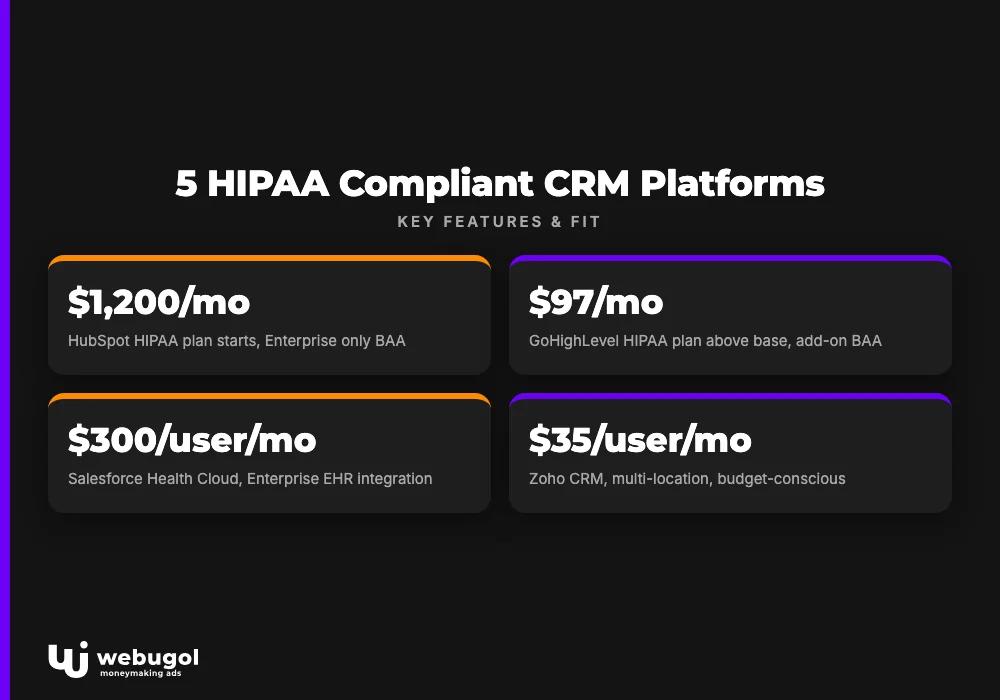
The comparison below covers five healthcare crm platforms suited for marketing teams at practices spending $10,000 or more per month on patient acquisition. Pricing reflects list rates as of mid-2026 and should be confirmed with each vendor before budgeting.
| Platform | BAA available | Encryption | Audit log | HIPAA plan starts | Best fit |
|---|---|---|---|---|---|
| HubSpot | Enterprise only | AES-256 | Yes | ~$1,200/mo | Mid-market, complex pipelines |
| GoHighLevel | Add-on | AES-256 | Yes | ~$97/mo above base | Telehealth, small-to-mid practices |
| ActiveCampaign | Business+ | AES-256 | Yes | ~$149/mo | Automation-heavy intake workflows |
| Salesforce Health Cloud | Yes | AES-256 | Yes | ~$300/user/mo | Enterprise, EHR integration |
| Zoho CRM | Yes | AES-256 | Yes | ~$35/user/mo | Multi-location, budget-conscious |
HubSpot delivers the most robust pipeline management and attribution reporting for mid-market practices with complex multi-provider or multi-location workflows. The friction is price and ongoing configuration complexity. **HubSpot HIPAA compliance** requires maintenance each time integrations change, making it a poor fit for lean marketing teams without dedicated technical staff.
GoHighLevel is the strongest fit for direct-to-consumer telehealth practices that consolidate their entire patient communication layer into one platform. CRM, SMS, funnels, and appointment booking and no-show reduction workflows under a single HIPAA-compliant roof is a genuine operational advantage. GoHighLevel appears most consistently in the stacks of GLP-1 and TRT practices scaling aggressively. The integrated automation architecture it enables underpinned Valhalla Vitality's +287% monthly revenue growth and 45% lower patient acquisition costs, per Webugol's program data.
ActiveCampaign is the right choice when automation depth and sequencing logic matter more than pipeline visualization. Practices with long intake sequences, multi-step follow-up, and conditional branching get more from ActiveCampaign at the same compliance tier, at a fraction of HubSpot's cost.
Salesforce Health Cloud is the correct answer only when a practice needs deep EHR integration and multi-department workflow automation at significant scale. At $300 per user per month, it is not the right hipaa compliant crm for a five-person telehealth team.
Zoho CRM covers the multi-location, budget-conscious use case well. At $35 per user per month with a BAA, it offers role-based access controls, audit logging, and sufficient automation capability for practices that do not need enterprise pipeline complexity. For multi-location wellness programs like Ways2Well, which generated $2.1M in revenue over six months per Webugol's program data, Zoho's per-seat pricing and multi-location reporting make it worth a direct comparison against GoHighLevel.
Migrating to a compliant CRM without breaking attribution
A CRM platform migration that skips attribution validation typically produces three to four weeks of unreliable campaign data. That is not a rounding error for a practice whose telehealth business model supports $50,000 per month on paid acquisition. The four-stage process that prevents this: PHI exposure audit, BAA execution before any data transfer, automation rebuild under HIPAA-mode constraints, and end-to-end attribution validation before deprecating the old system.
Running these stages out of order is the most common migration error. Signing the vendor BAA after data transfer has started is a compliance violation. The checklist below is sequenced deliberately.
Migration checklist:
- Map all PHI fields in the existing CRM, including informal custom fields that may not appear in a standard export.
- Identify every third-party integration receiving or reading lead data from the current system.
- Confirm BAA status for each connected tool before migration begins, and flag anything without a signed agreement.
- Sign the new vendor BAA before initiating any data transfer.
- Rebuild intake forms with HIPAA-compliant field restrictions, reviewing every field against PHI criteria for your specific program types.
- Reconfigure ad platform integrations for compliant attribution using server-side tagging or offline conversions.
- Test the offline conversion import pipeline from CRM to ad accounts before cutting over any live traffic.
- Run a 30-day parallel attribution check comparing old-system data to new before decommissioning the old CRM.
Step eight is the one most teams skip. Running both systems in parallel for 30 days costs time but prevents a misconfigured offline conversion pipeline from corrupting six weeks of campaign optimization decisions. The web infrastructure underpinning a compliant healthcare marketing stack matters as much as the CRM configuration itself.
Ready to connect your CRM to verified revenue attribution?
If your current CRM is not delivering verified CPL-to-CPA attribution, or you are uncertain whether your PHI handling meets HIPAA requirements, a strategy call is the fastest diagnostic available. Webugol's direct-to-patient growth program for healthcare providers builds the tracking foundation, CRM configuration, and attribution pipeline as a single integrated system, from ad click to recognized revenue. Book a strategy call through our healthcare patient acquisition program to map your PHI exposures and attribution gaps before committing to a platform migration.
FAQ
Does a HIPAA compliant CRM replace an EHR?
No. A hipaa compliant crm manages marketing and patient acquisition workflows including lead pipelines, attribution, contact records, and follow-up sequences. An EHR manages clinical records, treatment history, and care delivery. They serve different functions and can integrate, but one does not replace the other.
Is HubSpot CRM HIPAA compliant by default?
No. HubSpot requires an Enterprise plan, deliberate activation of HIPAA configuration settings, and a signed BAA before it can legally handle PHI. A standard HubSpot account does not meet HIPAA requirements and should not store protected health information.
What is a BAA and why does a CRM require one?
A Business Associate Agreement is a legally required contract under HIPAA between a covered entity and any vendor that accesses or processes PHI on its behalf. If your CRM stores patient contact data alongside health-related program enrollment or condition information, a signed BAA is required before the platform is used.
Can a healthcare clinic run retargeting ads under HIPAA?
Retargeting audiences built from specific health condition pages or treatment interest implies a medical condition, which violates HIPAA. Compliant remarketing uses behavioral intent signals and Consent Mode v2 with server-side tagging, keeping identifiable health data out of ad platform audiences.
Is GoHighLevel HIPAA compliant for telehealth practices?
GoHighLevel supports HIPAA compliance through its HIPAA add-on plan, which includes a signed BAA and restricted data handling configuration. Telehealth practices must activate this plan and audit all connected integrations before processing any patient data inside the platform.

